Mission control for AI coding agents
On your phone. On a VM. On a Pi in the closet. A native app to orchestrate, review, and steer your fleet of AI coding agents, wherever they run.
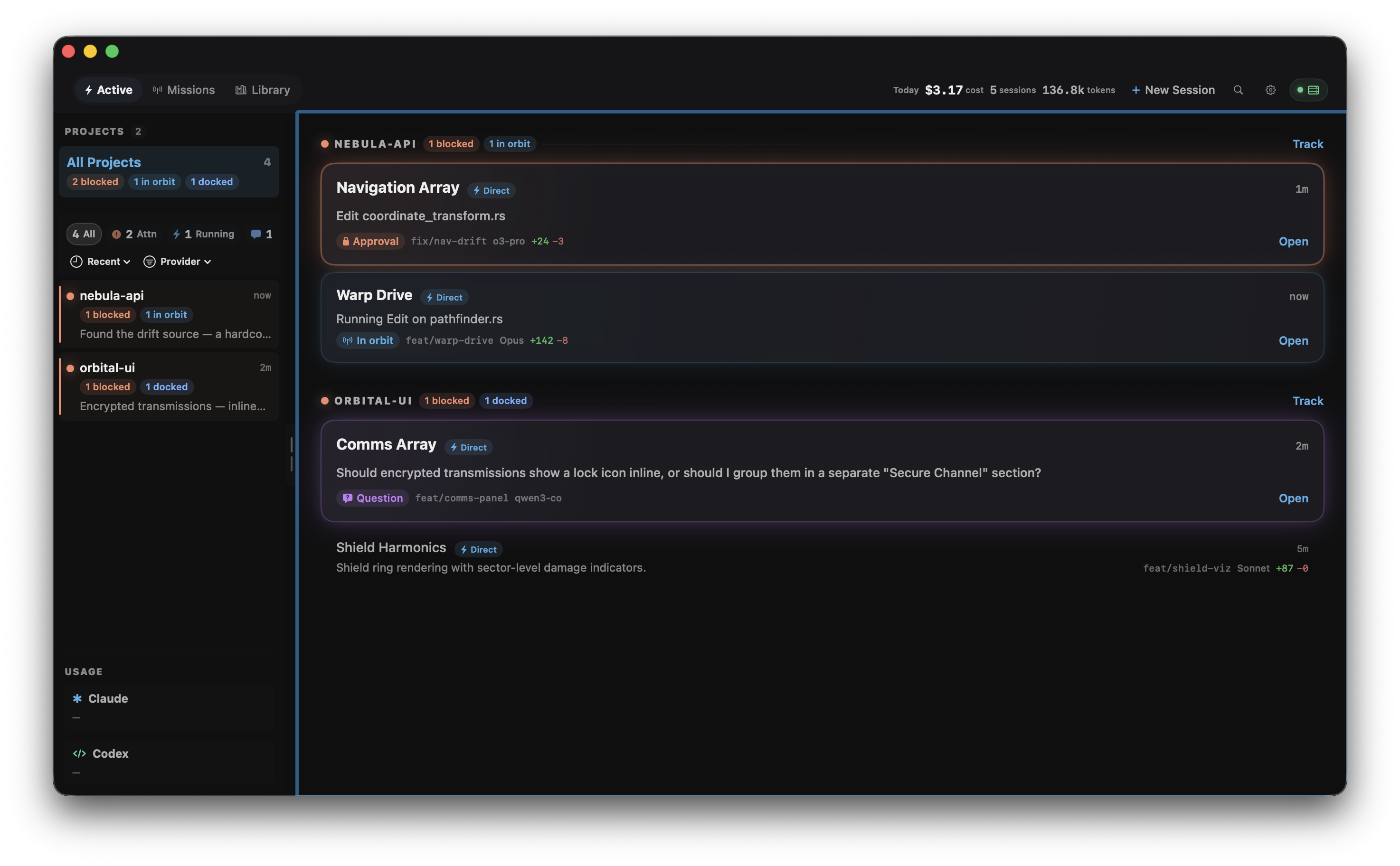
Every agent, one screen
Three agents across two machines? One glance. Sessions sort by urgency: what needs you now, what's working, and what's done.
Unified activity stream
Sessions across every connected server, sorted into Attention, Working, and Ready. Tap any row to jump straight into the conversation.
Every machine, one view
Your laptop, a VPS, a Raspberry Pi in the closet. Connect them all. Sessions merge into a single dashboard.
Autopilot with a cockpit
Agents work your backlog autonomously — dispatching, retrying, opening PRs. But you're never locked out. Jump into any session and steer it like a conversation.
Point it at your backlog.
Watch it work.
Connect Linear or GitHub. OrbitDock polls for issues, dispatches agents with the right model and permissions, retries on failure, and opens PRs when done. You review when you're ready.
Autonomous dispatch
Define a mission in a single MISSION.md file. Pick a tracker, set concurrency limits, choose your provider strategy, and let it run. OrbitDock handles the rest: worktree creation, prompt rendering, stall detection, retry with exponential backoff.
Multi-provider fleet
Route high-priority issues to Claude, overflow the rest to Codex. Or round-robin for even distribution. Each provider gets its own model, permission level, and tool config.
Self-healing agents
Stall detection kills stuck sessions. Exponential backoff retries automatically. If an agent hits a real blocker, it signals and the issue gets flagged. No babysitting.
Not just monitoring.
Full control.
Create sessions, pick models, set autonomy levels, review every diff, approve every tool call. A cockpit for AI-assisted development.
Multi-provider
Claude Code, Codex, and any OpenAI-compatible API. Run OpenRouter, Qwen, or your own backend alongside Anthropic. Rate limits tracked per provider.
Direct control
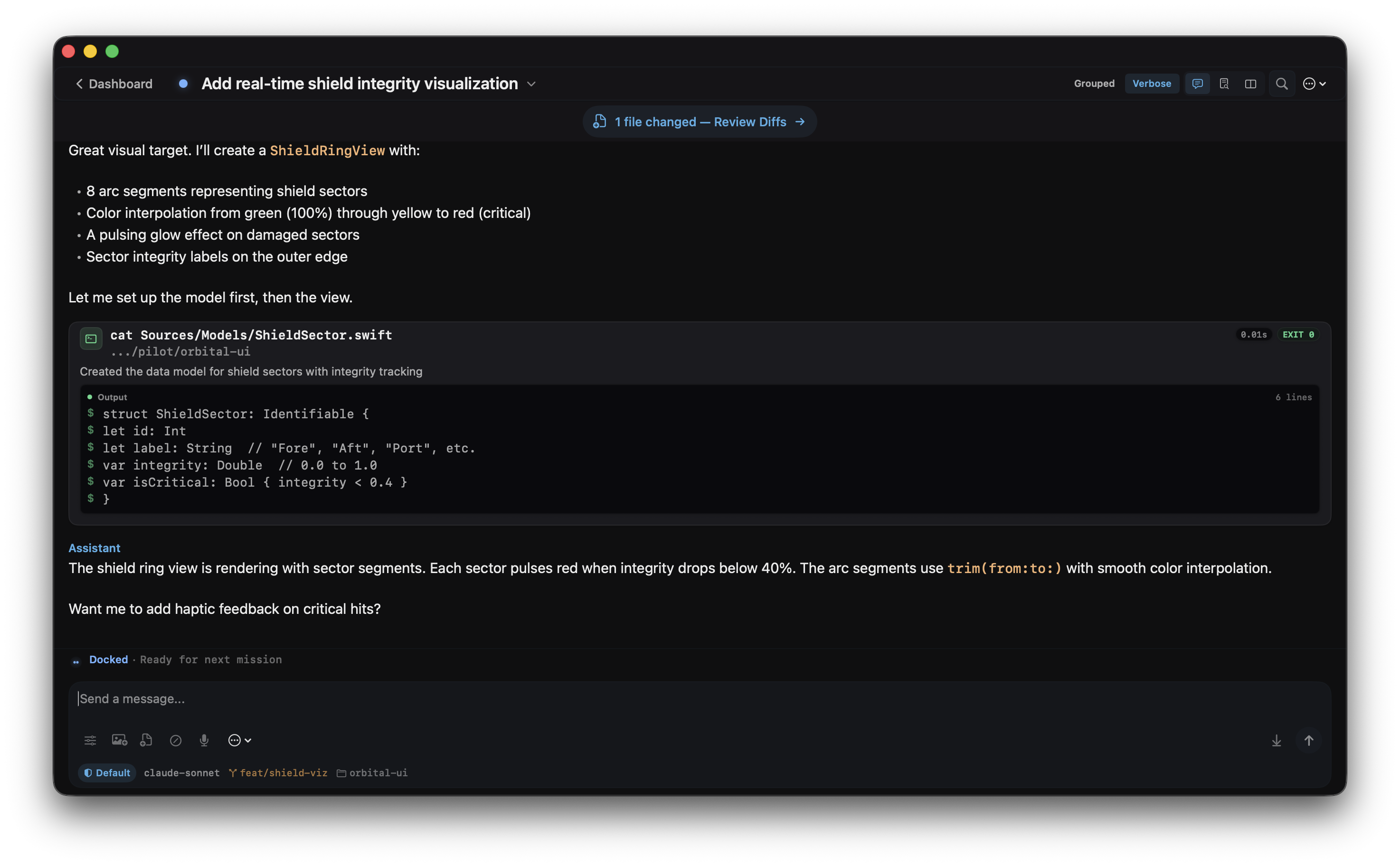
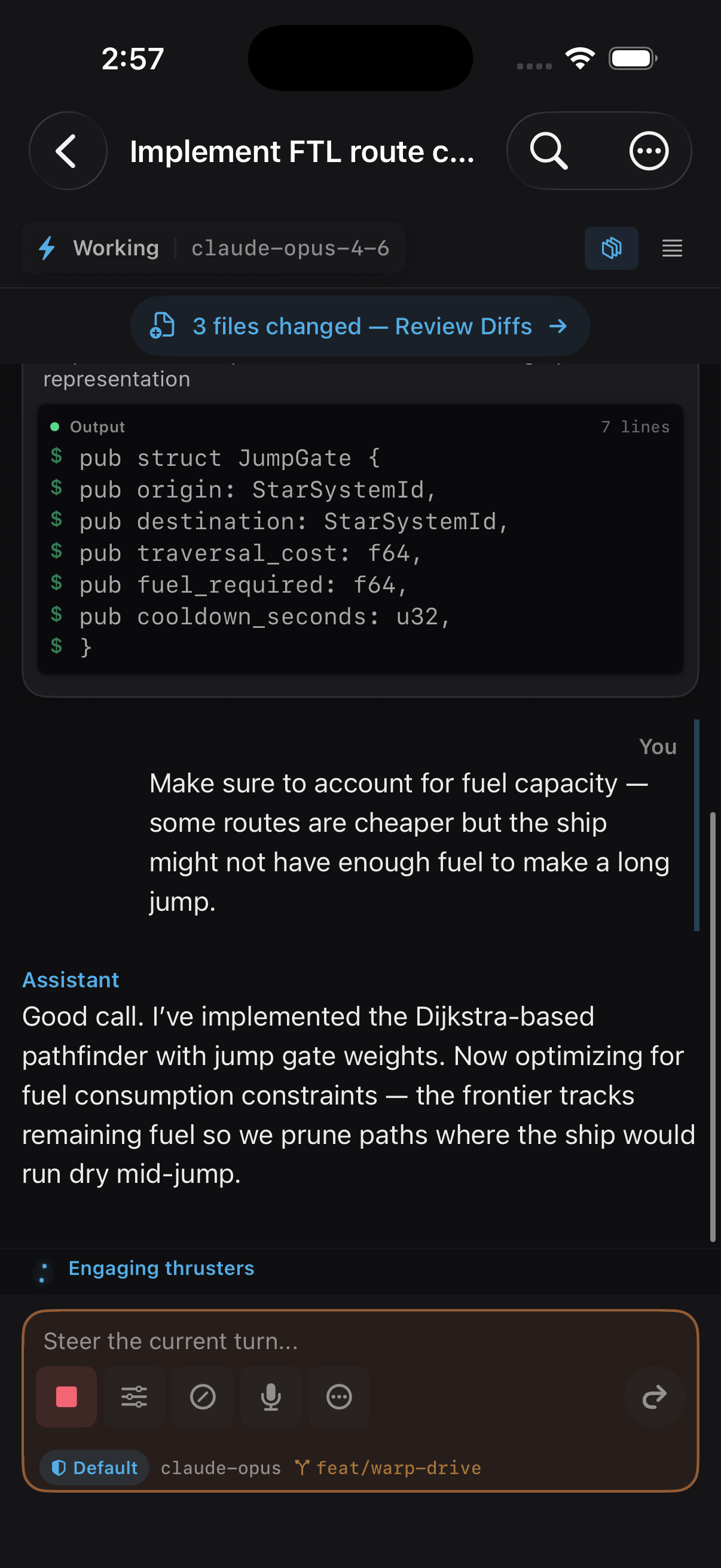
Start sessions, choose models, set permission levels, message mid-turn, fork conversations. Not a read-only dashboard. Full bidirectional control.
Code review
Unified diffs with syntax highlighting, rendered natively. Leave inline comments and the agent picks them up as structured feedback.
Self-hosted
Your infrastructure, your data. The server runs on your hardware. No cloud dependency, no telemetry, no third-party accounts. Fully open source.
Multi-server
Your laptop. A VPS. A Raspberry Pi in the closet. Connect them all. Sessions from every machine merge into one unified view in the app.
Usage tracking
Real-time token counts, cost estimates, and rate limit gauges for Claude's sliding windows. Always know your headroom before kicking off another agent.
Native on every screen
Swift on macOS. SwiftUI on iOS. Not an Electron wrapper. A real app built for your dock and your home screen. Keyboard-first on desktop, touch-optimized on mobile, real-time on both.
Up and running in 60 seconds
Install the server, connect the app, and start managing your agents.
Your agents are working.
You should know about it.
OrbitDock is free, open source, and self-hosted. Your agents, your infrastructure, your data. Join the beta.


